

Start using Cyber to power your prospecting.
Guide to design, launch, and optimize cold email campaigns using Snov.io, including lead imports, email sequences, and performance tracking.
1. Log in to Snov.io
2. Import Your Lead List
3. Create a New Email Drip Campaign
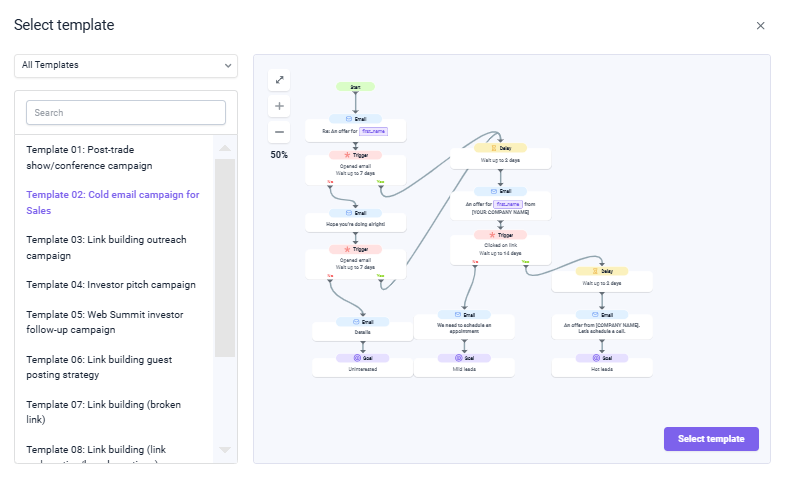
![Screenshot of an email editor interface with the subject line: "There seems to be a problem with your website." The email template includes placeholders such as "[MAIN PROBLEM YOU SOLVE]" and "[YOUR COMPANY NAME]" for personalization. It starts with "Hi [first_name]" and outlines selling points in brackets "[SELLING POINT 1, 2, 3]." The email concludes with a call-to-action link "[LINK]" and a closing signature format "[YOUR NAME], [YOUR POSITION] at [COMPANY NAME]." Toolbar options include "Template," "Email AI," "Variable," "Source code," "Unsubscribe link," and "Calendly link."](https://cdn.prod.website-files.com/658c7dbe6f7007cb9233ad8d/69385189669e94a42a255ec7_AD_4nXdbwojtbuNyK3yHzQ7L-qZxJ3IHNE3P7FJEUB27S0C9Tvjcq7dit3YEmlo3LslcPvbS4cRp9JKy21HVyW_zwfn7dYnRNR-biuFpUAaLF50LVBjlil2aCXwNiKbk3wJJHkI5xYnw4w.png)
5. Set Sending Limits
6. Launch the Campaign
7. Track and Optimize Performance
