Setting up your branded Cyber Score Lead Magnet

How to easily set up a branded Cyber Score lead magnet to attract leads, build trust, and grow your business!

Setting up your branded Cyber Score Lead Magnet
Dec 8, 2025

Want to attract high-value leads and position yourself as a cybersecurity expert? A branded Cyber Score lead magnet is a simple, effective way to do it. Here’s how:

1. Configuring your Cyber Score lead magnet

Customize the Cyber Score template with your logo, colors, and unique url to reinforce your brand. Then, add it to your website for easy access!

Cyber Score Lead Magnet setup interface with customization options on the left and a live preview on the right. The left panel includes fields for uploading a logo and profile image, selecting accent colors, and entering contact details such as name, email, company name, website, booking link, custom title, slogan, and webhook URL. A lead magnet link is also displayed. The right panel features a preview with a blue and black background, displaying a sample Cyber Score page for "ACME Dental," showing a Cyber Score gauge at 47%. Below, there is a search bar for users to enter their website URL to receive their score. A "How it works" button is visible in the top right corner.

2. Share Your Unique Link

Distribute your personalized Cyber Score link to prospects, ensuring they can easily engage with your content.
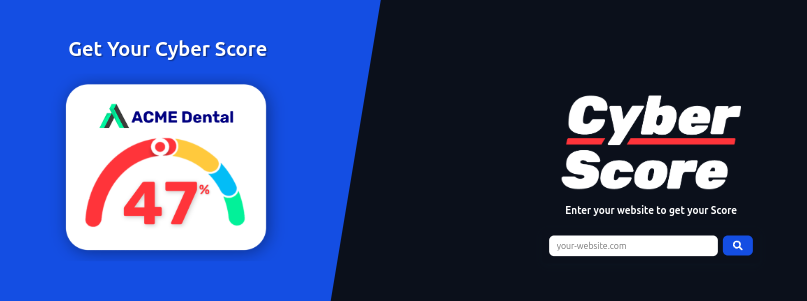
This image presents a split-screen layout designed to promote a Cyber Score assessment tool. On the left, a blue background features a Cyber Score example for "ACME Dental," with a visually striking 47% displayed on a semi-circular gauge. On the right, a dark background emphasizes the bold "Cyber Score" title in white and red, alongside a search bar for users to enter their website URL. The clean and dynamic design effectively grabs attention while offering a clear call-to-action for businesses to check their cybersecurity posture.

3. Automate & Deliver

Use a landing page (MSP Sites, HubSpot, etc.) to capture emails and instantly deliver the Cyber Score checklist. Our partner, MSP Sites, offers a GoHighLevel CRM specifically designed for MSPs!
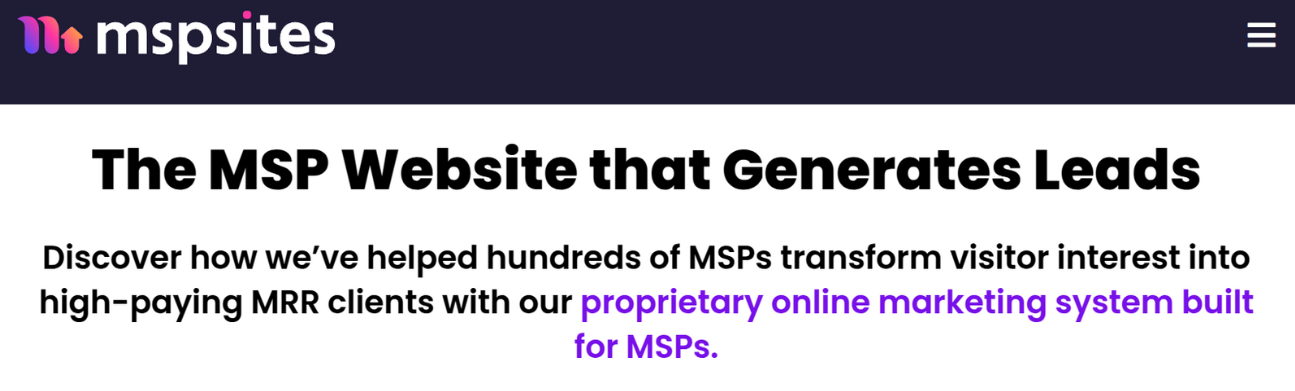
This image features the homepage banner for mspSites, highlighting its unique value proposition for Managed Service Providers (MSPs). The bold headline, "The MSP Website that Generates Leads," is paired with a compelling subtext: "Discover how we’ve helped hundreds of MSPs transform visitor interest into high-paying MRR clients with our proprietary online marketing system built for MSPs." The clean design combines modern typography with a vibrant purple and pink logo, emphasizing a professional yet approachable tone. The layout effectively positions mspSites as a leader in lead generation for MSPs.

4. Follow Up & Convert

Every Friday, you’ll receive a report on who has visited your lead magnet. You can also track engagement directly on your dashboard.
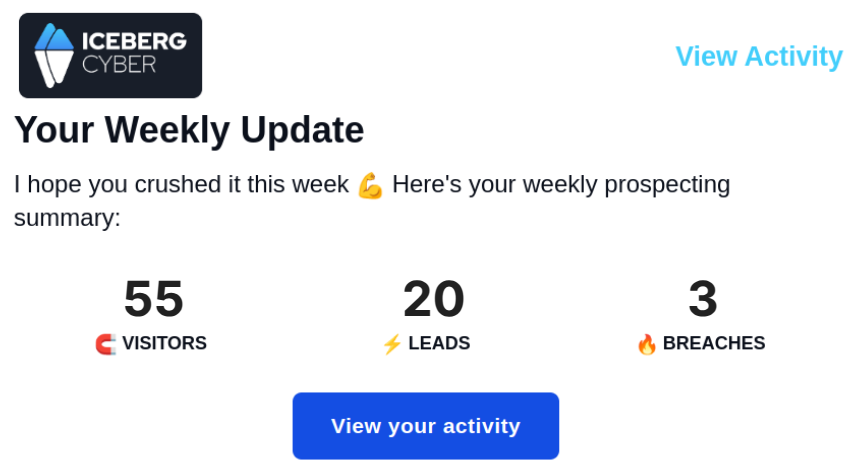
This image features a weekly activity update from Iceberg Cyber, summarizing key metrics for prospecting performance. The top section displays the company logo and a friendly message: "I hope you crushed it this week 💪 Here's your weekly prospecting summary." Below, three key metrics are showcased with bold numbers and icons: 55 visitors, 20 leads, and 3 breaches, offering a quick snapshot of activity. A blue "View your activity" button invites users to dive deeper into their performance, while a "View Activity" link in light blue sits at the top-right for navigation. The design is professional, clear, and motivational.

5. Promote Where It Matters

Post your Cyber Score lead magnet on LinkedIn, cybersecurity groups, and your website. Make it easy for prospects to find and download.

Cybersecurity is built on trust. A strong Cyber Score lead magnet enhances credibility and puts you in front of the right clients. Get started today!
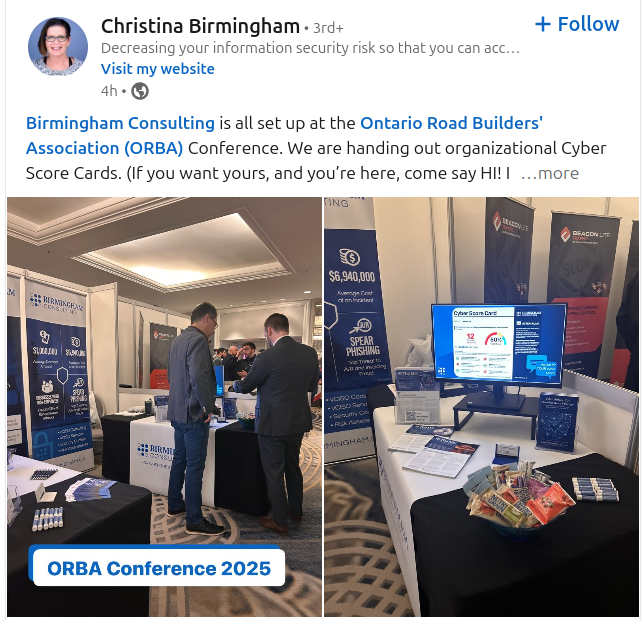
This image captures a LinkedIn post by Christina Birmingham from the Ontario Road Builders' Association (ORBA) Conference 2025. The post highlights Birmingham Consulting's booth, which is set up to distribute organizational Cyber Score Cards. The booth features banners displaying key cybersecurity offerings, a monitor showcasing Cyber Score metrics, and informational materials laid out on the table. Visitors are engaged in discussions with representatives, emphasizing the event's networking opportunities. The setup includes branded merchandise and snacks, adding a welcoming touch. The post encourages conference attendees to stop by and learn more about cybersecurity solutions.

Start using Cyber to power your prospecting.